A draft version of my personal site where every word is handwritten stroke by stroke, a 3D fountain pen follows the line, a hand pushes the sheets off a pile and a throw of dice ends up on a wooden desk. This page covers how it works, what it cost in performance, and how the work was split between me and the AI agents.
Stack
- React
- TypeScript, TS
- three.js
- Vite
- vite-react-ssg
- Claude
The idea
My classic site is a dark dashboard. It is clear and fast, and it looks like a lot of other developer sites. I wanted a version that shows what I can build when nobody sets the rules: one sheet of paper per topic, written by hand while you watch.
It is a draft, not a replacement. It lives at /v2 and says so in a DRAFT label at the top. I started it on 13 October 2026 and it is the first thing I am building in public.
What it looks like
Stills captured from the live page. Two short clips are further down, because motion is the point of this site.
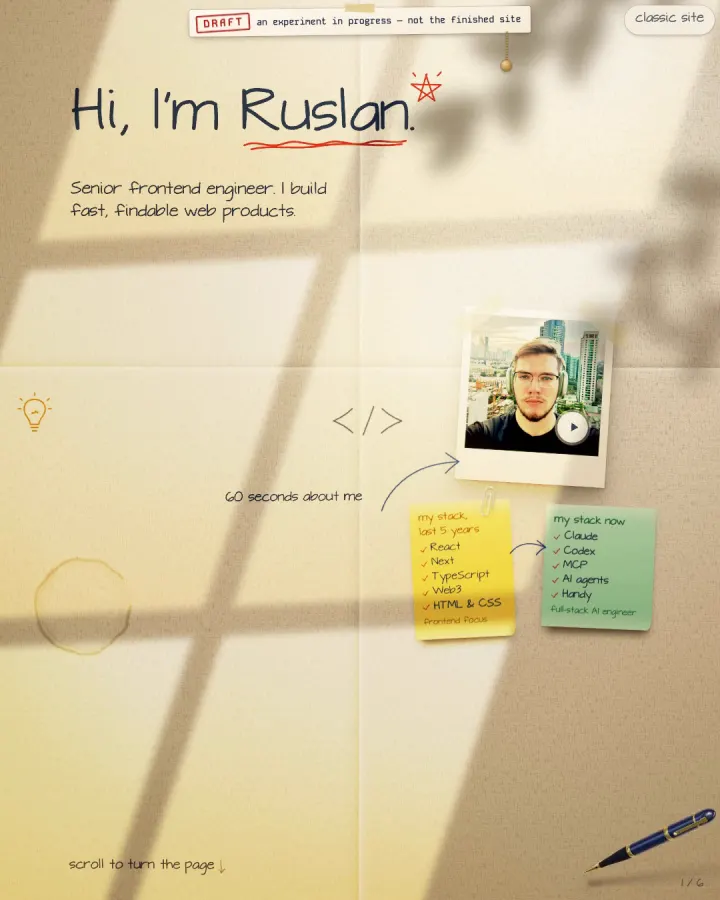
The first sheet, written stroke by stroke by the pen. A DRAFT label and a pull string hang at the top. 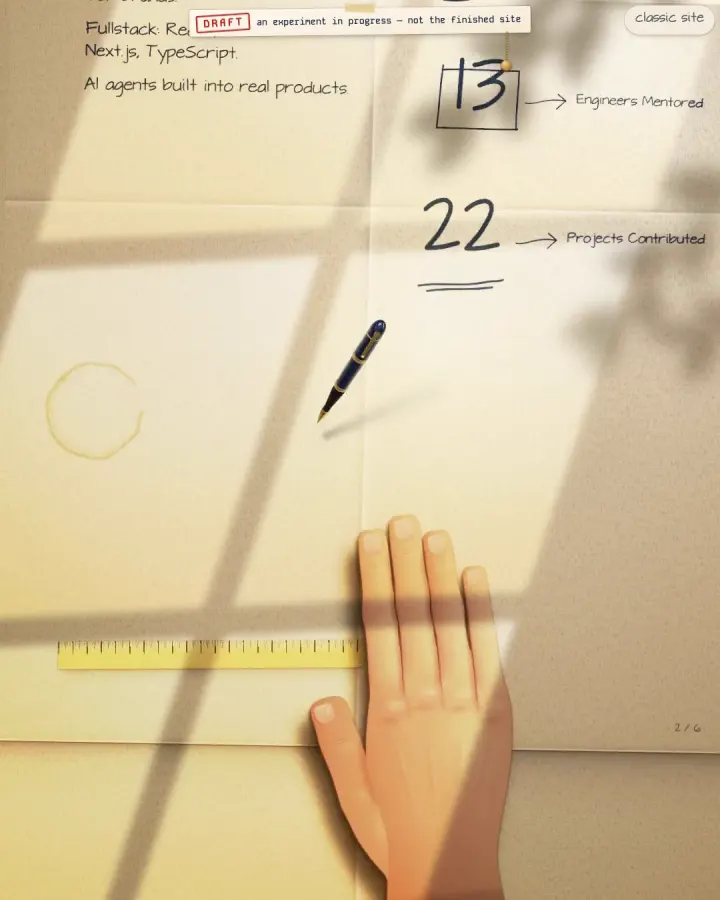
The hand pushes the top sheet off the pile to reveal the next one. 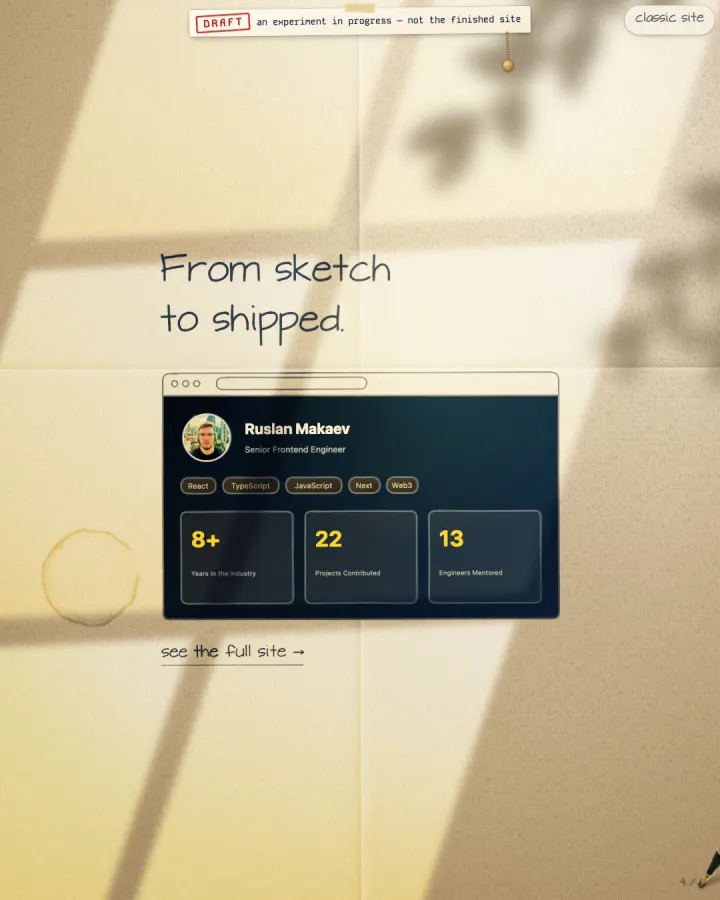
A pencil wireframe fills in as a miniature of the real site. 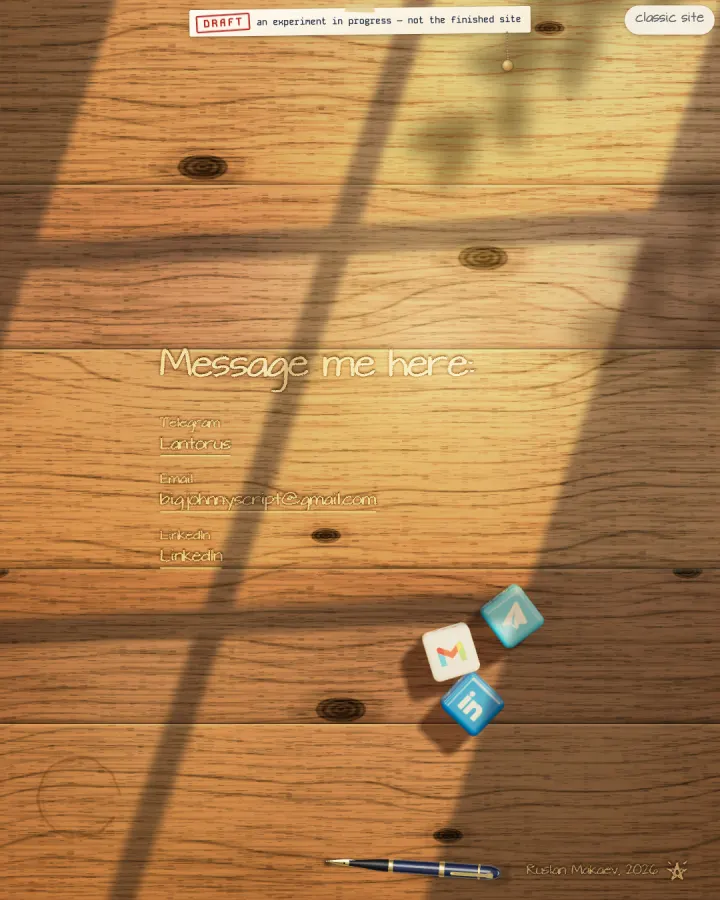
The desk at the end of the pile. Each die lands logo up and is a link. 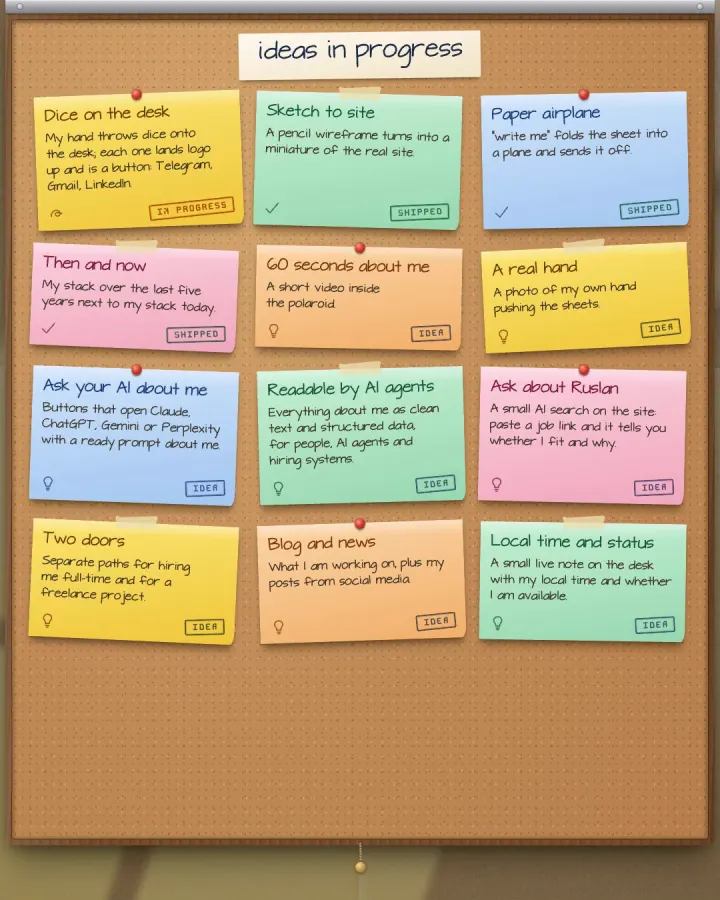
The ideas board that slides down on a pull string. 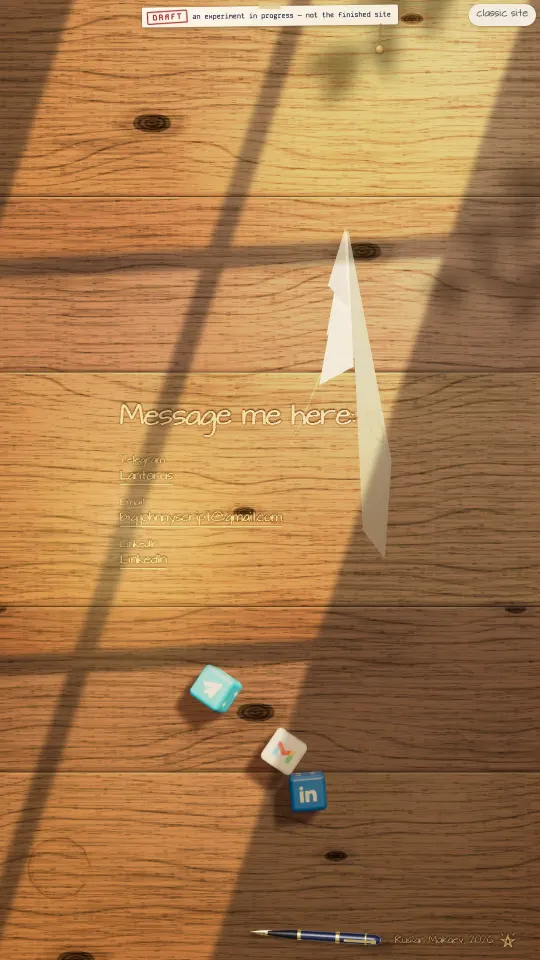
The "write me" link folds the sheet into a paper plane and sends it off.
How the handwriting works
Outline fonts cannot be written by a pen, because a letter is a filled shape. A single-line font stores the path of the pen itself. I used EMS Tech, a single-line SVG font under the SIL OFL 1.1 licence (the licence texts and sources are in the repo and served with the site).
A build script, scripts/v2-build-glyphs.mjs, parses the font file as data, flattens the curves, drops points that carry no shape and writes a glyph table in TypeScript: 1000 units per em, printable ASCII and a few typographic marks. Every pen stroke is its own entry, because SVG restarts a dash pattern at each subpath and a multi-stroke path would draw all of its strokes at once.
At render time every word becomes one inline SVG with one <path> per stroke. Each path is animated with stroke-dashoffset, so the line appears to be drawn. The drawn words are hidden from assistive technology; the real text is in the markup for screen readers, search engines and anyone with scripts off.
The pen
The fountain pen is a three.js scene. It does not run its own timer. Every stroke of a sheet already runs a CSS animation, so the pen reads the animation clock of those strokes and puts the nib at the visible end of the line being drawn. Because there is no second clock, the nib cannot drift away from the ink.
Between strokes it lifts and travels, when the sheet is finished it puts itself down on the paper, and the same two colours, navy and gold, are reused for the cursor: on this page the mouse pointer is a pen nib, and the scroll bar is a stack of paper divider tabs with numbers drawn in one stroke each.
three.js is the heaviest dependency on the page, so the pen code is a separate chunk that the browser starts loading early. A post-build script (scripts/preload-v2-pen.mjs) adds modulepreload links for it into the built HTML.
The hand and the pile
- The sheets are a pile on a desk. Each has a fixed slight rotation and offset, so nothing differs between the server render and the browser.
- Scrolling is a position over the stack. One passive scroll listener and one animation frame update it; layout is measured only when the window is resized, never while scrolling.
- A push has three moments: the fingers land, the hand lets go, the sheet leaves. The sheet speeds up under the hand and then glides. The hand is a drawn illustration today; replacing it with a photo of my real hand is on the ideas list.
- Sketch to site: a pencil wireframe is drawn from the same rectangles that the finished miniature of the site is laid out in, so every box the pen draws is the box that later fills in.
- A paper airplane: the crease pattern of a dart is described as hinged flat pieces, and the fold and flight are done with 3D matrices turned into CSS transforms.
The desk and the dice
- The last sheet is a wooden desk. The wood grain and the paper grain are tiles baked by scripts (scripts/v2-bake-wood.mjs, scripts/v2-bake-paper.mjs) that render noise in the Chrome installed on the machine and save a small WebP.
- The dice are rendered with three.js, but the motion is a small rigid-body simulation written for this page: gravity, contacts with the table and the screen edges, dice against dice, restitution, friction, damping and sleep, at 240 steps per second.
- The throw is simulated before the first frame is drawn. The code tries several throws, scores them (they must settle, keep clear of the text and leave the logo roughly upright) and plays back the best. Only then are faces assigned: the logo goes on whichever side ended up on top, and the pips go on the others like a real die. So the die always lands logo up, and no one fakes the physics to get there.
- Each die is a link: Telegram, Gmail and LinkedIn.
- A prank wheel, "How much will your project cost?", is a 3D wheel with a lever. The spin is a weighted draw: a $500,000 sector has weight 2 out of 100 and a Ferrari 3, while the cheap sectors weigh 20 to 25 each.
In motion
Two clips from the live page. They load only when you press play.
The hand pushing the sheets (about 16 seconds, no sound). A throw of the dice on the desk (about 5 seconds, no sound).
Performance
A page where most of the HTML is handwriting has an obvious cost: thousands of SVG strokes. My Lighthouse reports from 13 and 14 October are in the repo, and this is what they say.
On 13 October the first measurement of the new version gave Performance 97 on desktop (LCP 1.1 s) and 71 on a phone with slow 4G and a 4x slower processor (LCP 5.5 s, CLS 0.002). The HTML page had grown from 27 KB to 45 KB and the DOM had 2,376 elements, mostly strokes. The report lists what to fix and leaves the cause of the slower phone LCP open.
What I did about it
- Deferring strokes. The prerendered HTML and the first client render contain only the text of the lower sheets. After hydration, the drawn words of each sheet are added one sheet at a time, each in its own idle slot, so the first sheet keeps writing smoothly. If a sheet is about to be seen, its strokes are released at once.
- Prerendering. The site is built with vite-react-ssg, so the first sheet is already written by CSS alone before any JavaScript runs.
- Fonts and the pen's chunk. I replaced Google Fonts with self-hosted files and added the modulepreload for the pen. In the 14 October report, render-blocking resources on a phone went from 1,200-1,350 ms to 300-310 ms, and the three.js chunk arrives about 0.65 s earlier on slow 4G (4.1 s to 3.45 s). That measures when the file finishes loading, not when the pen appears on screen, which I did not measure.
- Layout shift. The same report found something worse: on a phone, Performance had dropped to 49-52 and CLS was 1.11. I traced it with a PerformanceObserver and fixed it by keeping the sheet under the top one hidden until a push starts, so a late change in its layout can no longer move anything on screen. CLS went to 0 and the phone score to 77. Those two numbers come from my own re-measurement after the fix and are not in the written reports.
What is still open
A phone score of 77 is not great. The reports list what remains: render-blocking shared CSS, a heavy shared JavaScript bundle, a large DOM, and missing source maps. /v2 is also marked noindex while it is an experiment, so the classic site is still the one search engines read.
How the work was split
I did not write the code line by line. I set the direction, decided what the page should feel like, reviewed every result in the browser, and chose which model gets which job. Claude Code orchestrated the work as a team of subagents.
Who did what
- Me: the idea, the taste calls, what to cut, and the review of every change on real screens.
- Opus: the dice and their physics, the part with the most maths and the most ways to be subtly wrong.
- Sonnet: most of the features, such as the pen, the hand, the pile, the airplane, the wheel and the ideas board.
- Haiku: small mechanical fixes.
- Several agents worked in parallel, each on its own set of files, so that they did not overwrite each other.
- A measured problem beat a guessed one: the layout shift was found by measuring, then fixed, then measured again.
What is next
The ideas board on the page itself, the string hanging by the DRAFT label, lists what is shipped, what is in progress and what is only an idea. Next in line: a short video inside the polaroid, a photo of my real hand instead of the drawn one, and pages that AI agents and recruiters can read as plain text.
You can open the page at https://ruslanmakaev.com/v2 and pull the string yourself.
Want something like this, or a faster site?
If you need a fast, findable product in React and TypeScript, or an AI-assisted build where a human stays in charge of the result, reach out via the contacts on my home page.